





Virtual Private Networks (VPNs) are widely discussed in conversations about cybersecurity, privacy, and online access. However, many users install a VPN without fully understanding what happens behind the scenes. From an educational perspective, learning how VPNs function provides valuable insight into how internet traffic moves and how digital security tools operate.
To understand how a VPN works, it is helpful to begin with how a normal internet connection functions.
What Happens During a Standard Internet Connection?
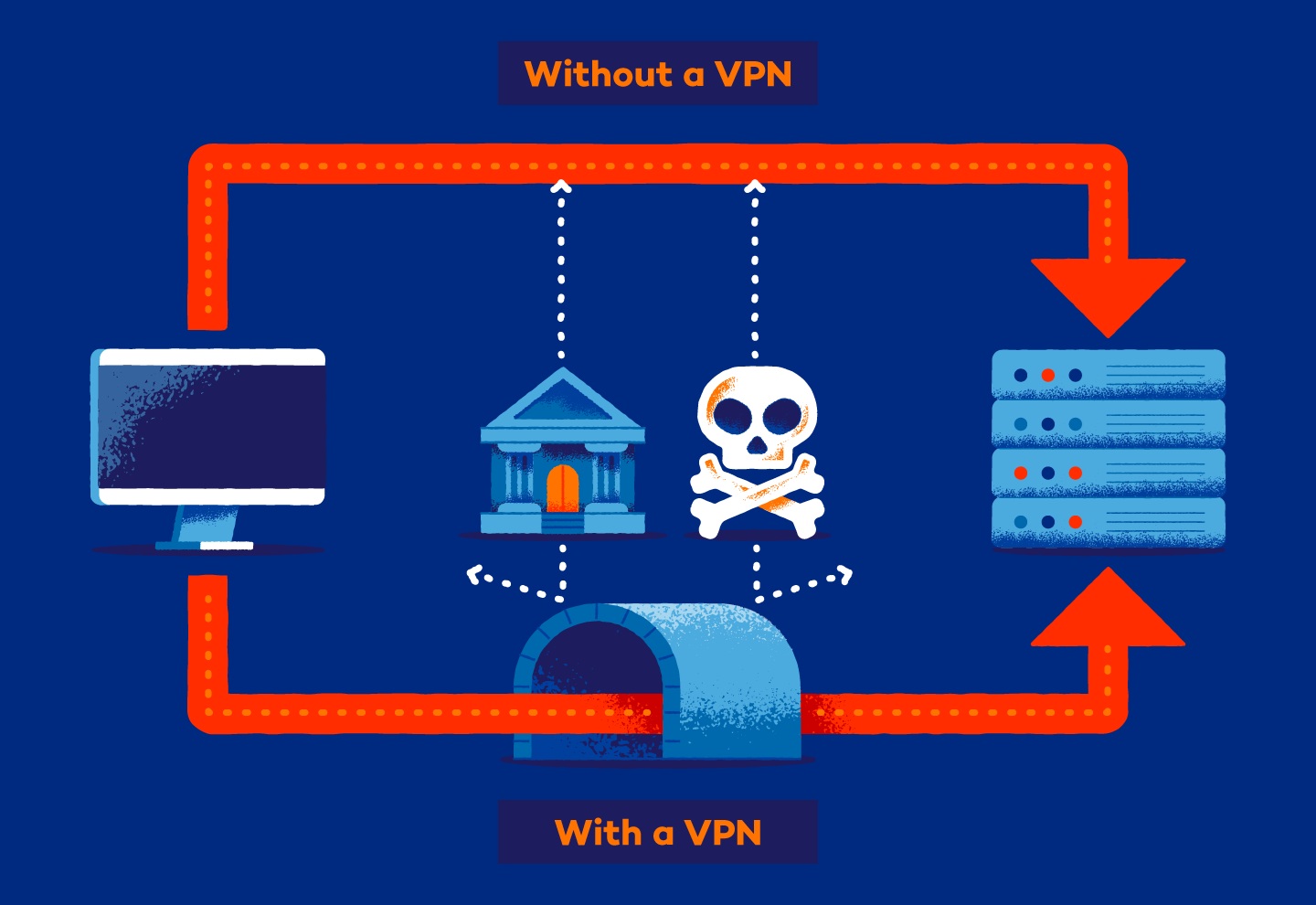
When you browse the internet without a VPN, your device connects to your Internet Service Provider (ISP). The ISP then routes your request to the website or service you want to access. Once the website responds, the data travels back through the ISP and arrives at your device.
During this process, your public IP address is visible. This IP address reveals approximate geographic location and identifies your ISP. While this system allows the internet to function efficiently, it also means your browsing traffic passes through intermediaries that can technically see connection metadata.
On unsecured networks, particularly public Wi-Fi, transmitted data may also be more vulnerable to interception.
What Changes When a VPN Is Activated?
When a VPN is turned on, it creates a secure pathway between your device and a remote server operated by the VPN provider. Instead of sending your internet traffic directly to its destination, your data first travels through this protected server.
This process involves three key functions:
- Your data is encrypted before leaving your device
- The encrypted data travels through a secure tunnel to the VPN server
- The VPN server assigns your connection a new IP address before forwarding the request
As a result, the website or service you access sees the VPN server’s IP address instead of your original one. This masks your location and adds a layer of separation between your device and the wider internet.
Understanding Encryption in Simple Terms
Encryption is central to how VPNs protect information. In simple terms, encryption converts readable data into coded text that can only be unlocked with the correct key. Without the proper key, intercepted data appears meaningless.
Most reputable VPN providers use AES-256 encryption, which is widely recognized as a strong security standard. While encryption does not make someone invisible online, it significantly reduces the risk of data being read if intercepted.
This is especially relevant in educational discussions about cybersecurity, where understanding layered protection is important.
VPN Protocols and Their Roles
VPN services rely on specific communication protocols to manage how data is encrypted and transmitted. Different protocols prioritize speed, stability, or security depending on their design.
| Protocol | Main Strength | Common Use Case |
| OpenVPN | Strong security and stability | General privacy and secure browsing |
| WireGuard | Modern and high-speed | Streaming and everyday browsing |
| IKEv2/IPSec | Mobile stability | Smartphones and network switching |
| L2TP/IPSec | Compatibility with older systems | Legacy device support |
Many VPN applications automatically select the most appropriate protocol, but understanding these options provides insight into how performance and security are balanced.
Practical Applications of VPN Technology
VPN technology is used in multiple contexts beyond entertainment. In education and professional environments, it supports secure communication and network protection. Common applications include:
- Protecting sensitive information on public Wi-Fi networks
- Securing remote work connections to internal company systems
- Reducing exposure of browsing activity to network intermediaries
- Supporting access to region-based academic or research databases
It is important to emphasize that VPNs are a protective layer, not a complete cybersecurity solution. They work best when combined with safe browsing habits, secure passwords, and updated software.
What a VPN Does Not Do
Educational clarity requires addressing misconceptions. A VPN does not prevent malware infections, stop phishing attempts, or remove all forms of online tracking. It also does not guarantee total anonymity. Instead, it limits certain types of exposure by encrypting traffic and masking IP addresses.
Understanding these limitations helps users develop realistic expectations about what the technology can achieve.
Evaluating VPN Services
When studying VPN technology from a consumer perspective, factors such as logging policies, encryption standards, server networks, and independent audits become relevant. Not all providers operate under the same privacy commitments.
For readers researching UK-focused comparisons and feature breakdowns, resources such as TheBestVPN.uk provide structured evaluations of available options, helping users make informed decisions based on performance and transparency rather than marketing claims.
Conclusion
A VPN works by encrypting your internet traffic, routing it through a secure server, and masking your original IP address. While the technical mechanisms involve sophisticated cryptography and networking protocols, the underlying purpose is straightforward: improving user control over online data transmission.
From an educational standpoint, understanding how VPNs function strengthens digital literacy. As internet usage continues to expand across personal, academic, and professional contexts, knowing how data moves — and how it can be protected — is increasingly valuable.

